Windows desktop utility

Find any screenshot
by what you remember

Press Alt+S from any app. Type what you remember about the screenshot — a name, a topic, a moment. SnapRecall finds it. Copy and move on.

breakup chat with monica bar graph study results invoice april total due pip install error yesterday terminal output deploy notes from last week authentication bug fix
Get SnapRecall $1.99 Windows 10 / 11 · 64-bit ~250 MB installer · models download on first run

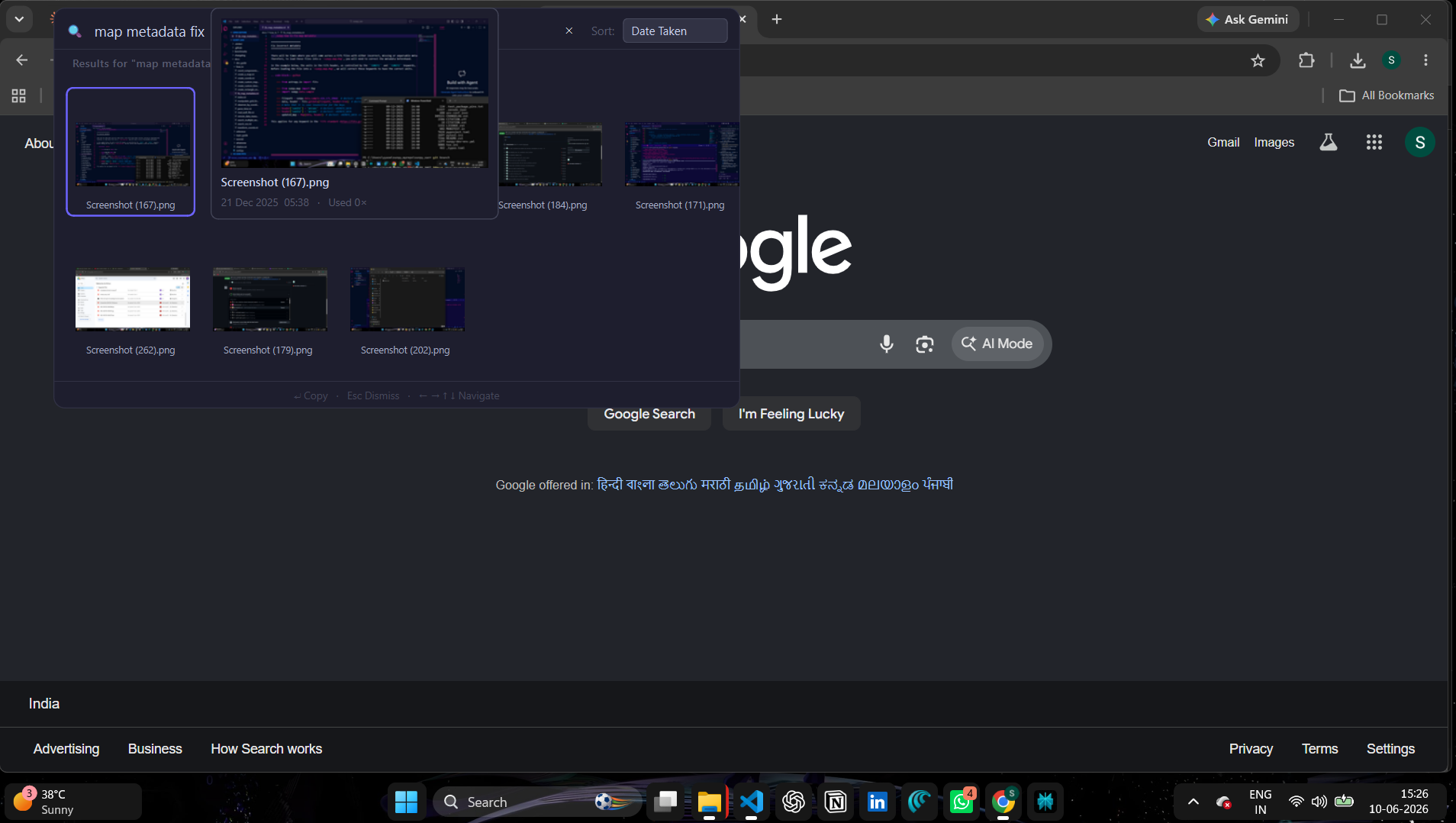
SnapRecall overlay showing search results

The overlay appears near your cursor. Search, copy, gone.
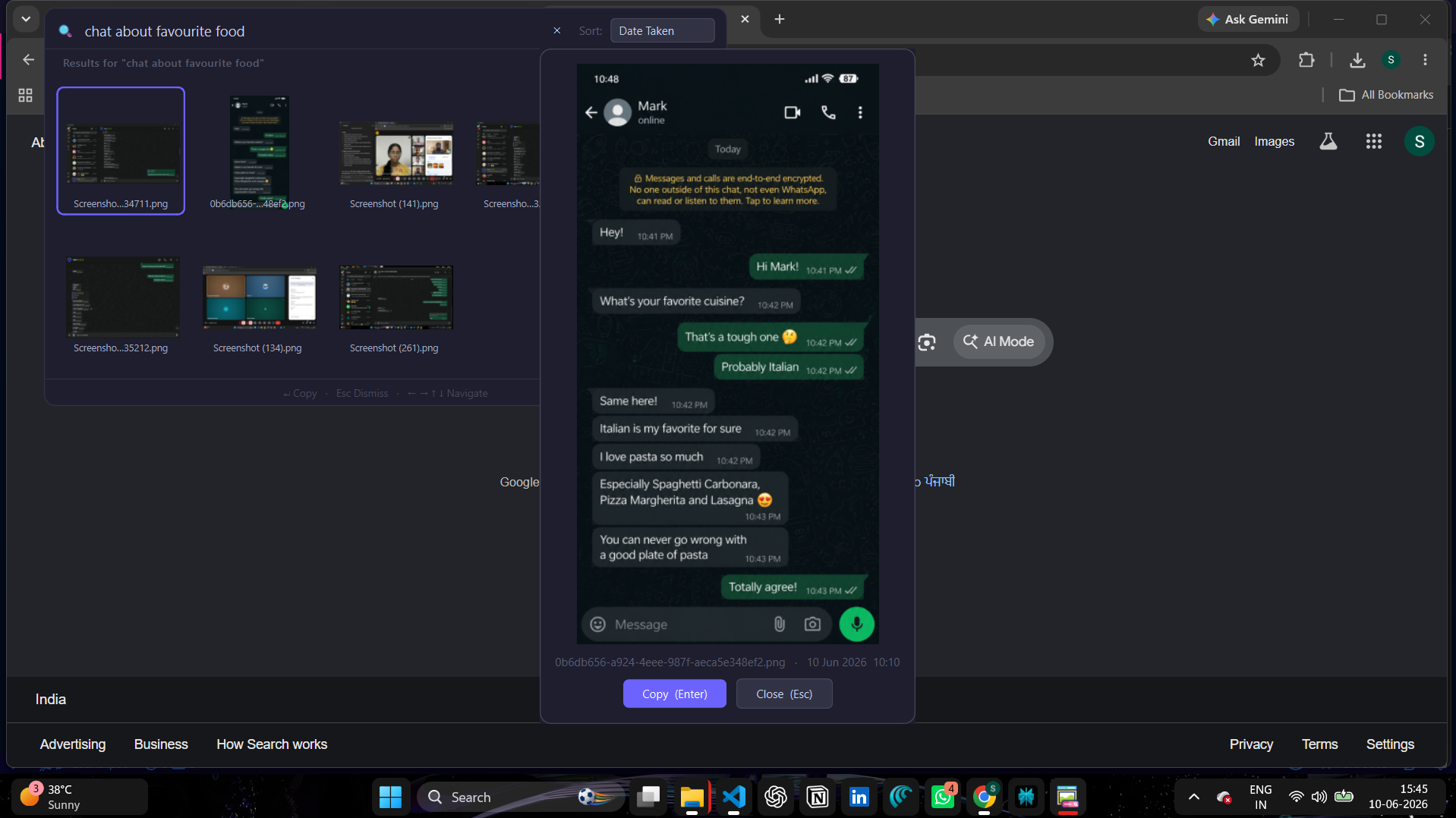
Double-click to preview a screenshot before copying

Double-click any result to preview it at full size before copying.
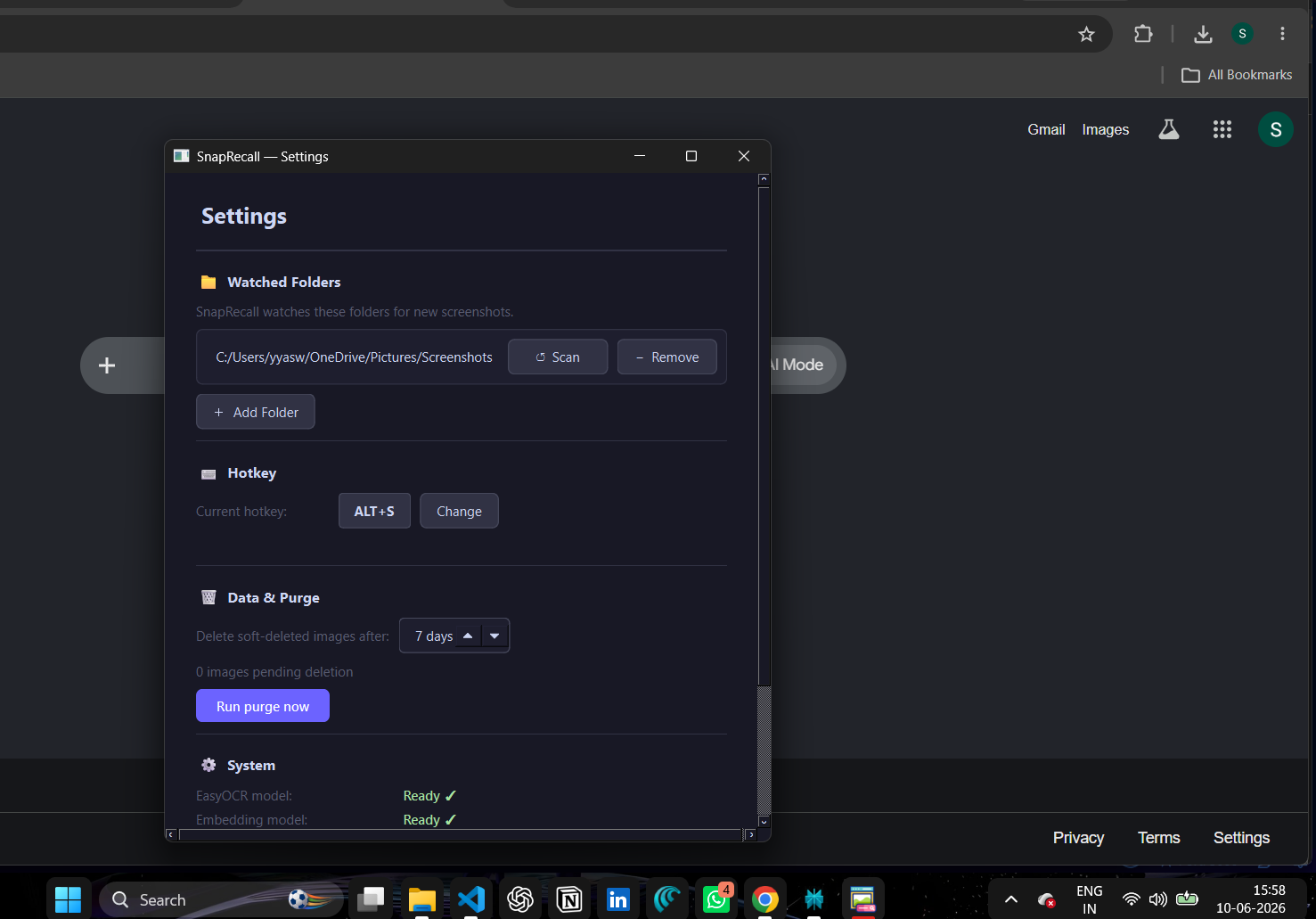
Settings — add watched folders

Point SnapRecall at any folder. It watches for new screenshots automatically.


How it works

1
Choose a folder to watch
Tell SnapRecall where your screenshots live. It scans the folder and indexes everything — extracting text, understanding meaning. New screenshots are picked up automatically.
2
Press Alt+S from anywhere
Works in any app — browser, Word, Slack, VS Code, anywhere. The overlay appears near your cursor without disrupting what you're doing.
3
Type what you remember
Not just filenames. Type the topic, the person, the date, deatil you remember. SnapRecall understands meaning — it finds screenshots that match your intent, not just your exact words.
4
Copy and move on
Press Enter or click. The image is on your clipboard. The overlay closes. You're back where you were.

Search by anything you remember

SnapRecall works for general use and technical work equally.

Everyday
breakup chat with monica
invoice april
notes from yesterday
article about sleep
book passage stoicism
Technical
pip install error torch
authentication bug fix
terminal deploy output
typescript type error
bar graph study results

Everything stays on your machine

  • No cloud uploads. Your screenshots never leave your computer.
  • No account required. No sign-up, no login, no email confirmation.
  • Fully offline after setup. AI models download once on first launch, then run offline-locally forever.
  • No telemetry. SnapRecall does not collect usage data, crash reports, or analytics of any kind.
  • No subscription. Pay once. Own it. Use it as long as you want.

$1.99
one-time purchase — no subscription
  • Unlimited screenshots indexed
  • Semantic search — finds meaning, not just keywords
  • Instant hotkey access from any app
  • Fully local — no internet needed after setup
  • Windows 10 / 11 — 64-bit
Buy SnapRecall — $1.99

Secure checkout via Dodo Payments. Download link sent after purchase.


System requirements